Color differences
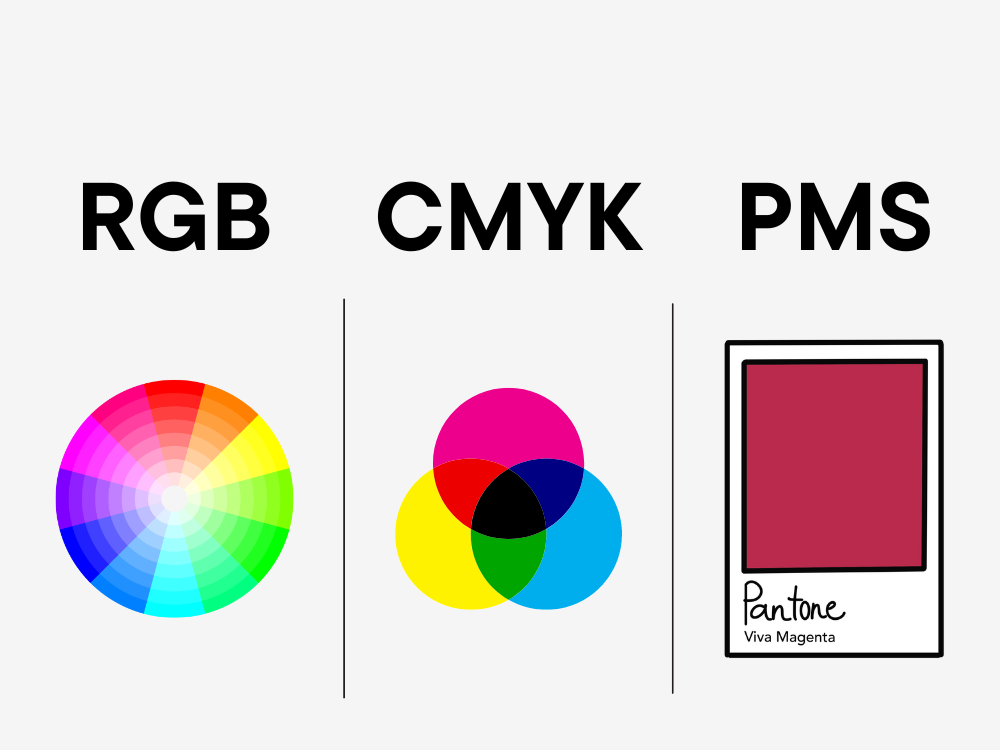
Pantone, CMYK and RGB colors – what’s the difference?
When it comes to design, color is most certainly the make-or-break element that can turn the mundane into the magnificent, particularly when it comes to packaging. Choosing the right color or combination of colors is integral for brand recognition and the overall visual impact of your products. Just think of Coca-Cola or McDonalds. Do these products’ vivid, energetic colors stand out to you? This is the purpose of choosing the right colors for your brand – instant recall and recognition.
When it comes to actually choosing the colors, it can be a bit of minefield due to the different terms that describe print-based coloring. The terms Pantone, CMYK and RGB are used most often in this field and it’s important to know the difference when you’re choosing between them. Let’s get into it.
Pantone (PMS)
Pantone is perhaps the color scheme you’ll be most acquainted with. It’s associated with a color matching system, the Pantone Matching System. This is where inks are created into distinct shades. These colors are then printed out in a color-matching swatch book.
There are quite a few processed color hues that are tricky to produce via process printing, particularly some shades of orange and green, so utilising a Pantone color guarantees a consistent color match. Projects can be printed on five or six color-presses applying the four process colors in addition to one or two Pantone colors (spot) to make a decisive color match.
CMYK
CMYK refers to the four ink colors applied to color printing:
- C- Cyan (a light-blue hue)
- M- Magenta (a pinkish red)
- Y- Yellow
- K – Black
In a four-color printing process, all four colors contain mixtures of dots in CMYK.
The vast majority of home-grade, consumers and commercial printers lean toward CMYK inks and shades to print their texts and images. CMYK colors operate by subtracting or soaking up light reflected on a white sheet of paper. Devoid of ink on the paper, all the lights are mirrored back to the eye, and so the paper appears to be white.
RGB
RGB simply means Red, Green and Blue. These are the three primary color shades you’ll see whenever you look at photos on a computer screen or digital camera. The color variants comprise the mixture of these three shades. In the color printing process, these underlying tones have to then be changed into CMYK.
RGB colors are additive shades. Your PC monitor is black, so light is incorporated to generate color. The screen will appear white if all three shades are boosted at a 100% density.
How to use your newfound color knowledge
It's important to make sure you provide the correct file type and profile color for the intended project. This will help to ensure the most accurate color or color combo on the finished product, while averting any issues with the tone. If you have any questions or need any support here, of course we're here to help!
When creating your new company logo or brand identity, it’s ideal to consider your color in all three color models to ensure continuity and consistency – massively important for small businesses to ensure your target market recognises your brand among the crowd.